

Cursor vs Antigravity vs VS Code: Which Code Editor Is Best in 2026?
Here's the truth nobody wants to say out loud: if you're still writing every line of code manually in 2026, you're working about 40% slower than you could be.
That number comes from actual dev teams tracking their output before and after switching to AI-powered editors. Some report even bigger gains. A developer I talked to last month said Cursor helped him ship a feature in two days that would've taken him a full week before.
But here's where it gets messy. The AI code editor space exploded in late 2025, and now we've got three major players fighting for your attention: Cursor (the expensive speed demon), Google Antigravity (the wild experimental newcomer), and good old VS Code with GitHub Copilot (the safe corporate choice).
I've spent the last four months building real projects in all three. Not toy demos. Actual client work. Production code that's running right now. And I've got opinions.
Why This Comparison Matters Right Now (And Not Six Months Ago)
Two things happened in November 2025 that changed everything.
First, Google dropped Antigravity on November 18th . Completely free. With features that made Cursor users do a double-take. We're talking multiple AI agents working in parallel, integrated browser testing, and a "Manager View" that lets you orchestrate five different coding tasks simultaneously.
Second, Cursor hit a $29.3 billion valuation with $1 billion in annual revenue. That's not hype. That's developers actually paying $20 to $200 per month because the tool genuinely changes how they work.
Meanwhile, VS Code with GitHub Copilot quietly added agent mode, improved their context understanding by 37.6%, and doubled their throughput. Microsoft doesn't make noise, but they iterate.
So yeah, the playing field shifted. Hard.
How I Actually Tested These (Not Just Demo Screenshots)
I rebuilt the same three projects in each editor:
A full-stack SaaS dashboard - React frontend, Node.js backend, PostgreSQL database, Stripe integration. The kind of project with enough moving parts that AI either helps or gets in your way.
An e-commerce site migration - Legacy PHP codebase to modern Next.js. This one was brutal. Tons of edge cases, weird database queries, old jQuery still lurking in corners.
A data visualization tool - Complex D3.js charts with real-time data. Lots of math, lots of DOM manipulation, the kind of code that's easy to break.
For each project, I tracked: time saved (or wasted), bugs introduced by AI, moments where I wanted to throw my laptop out the window, and moments where the AI did something genuinely impressive.
I also joined Discord servers, read Reddit threads, talked to actual developers using these tools daily. The Reddit communities alone taught me more than any marketing page ever could.
Cursor : The Editor That'll Blow Your Mind (Then Your Budget)
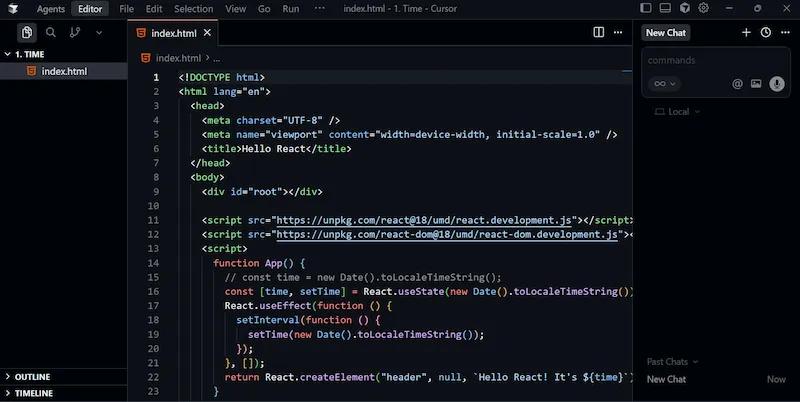
Cursor feels fast. Like, uncomfortably fast sometimes.
You know how regular autocomplete always lags behind your brain? Cursor's the opposite. It's suggesting your next three moves while you're still typing the current line. Kind of eerie at first.
What Actually Makes It Different
Three features separate Cursor from everything else:
Tab completion that reads your entire codebase. Not just the current file. The whole thing. It understands patterns across your project and predicts code blocks, not just lines. I'm hitting tab to accept suggestions about 50% of the time now, which means I'm literally typing half as much code.
Composer mode for multi-file changes. Tell it "refactor this authentication system to use OAuth instead of JWT" and it'll touch 15-20 files, show you clear diffs, and get maybe 75-80% right on the first pass. That 20-25% you need to fix manually? Still way faster than doing it all yourself.
Agent mode that actually persists. Give it a high-level task, walk away for coffee, come back to see it made 30 changes across your codebase. Sometimes it works perfectly. Sometimes it goes off the rails. But when it works... man, it's something.
I tested Composer on a real refactor. Migrated our auth from JWT to session-based across 23 files. It nailed about 80% of it. The other 20% needed human judgment (which sessions to keep, how long, what to do with mobile clients). But it saved me probably 4 hours of tedious work.
The Pricing Situation Nobody Warned Me About
Here's where Cursor gets annoying, and why half their Reddit community is constantly complaining.
They changed pricing in August 2025 and made it way more complicated. What used to be simple (500 requests per month) turned into a confusing credit system tied to actual AI inference costs.
Current pricing as of January 2026:
Free tier - 2,000 code completions and 50 slow requests per month. Good for trying it out. Gone in about a week of real dev work.
Pro ($20/month) - Unlimited Tab completions, $20 credit pool for premium models, unlimited Auto mode. This is what most solo devs use.
Pro+ ($60/month) - 3x the credits. For power users who burn through Pro in two weeks.
Ultra ($200/month) - 20x credits, early access to new stuff. Honestly overkill unless you're coding 60+ hours a week or running a consultancy.
Teams ($40/user/month) - Pro features plus team management, SSO, centralized billing. For actual companies.
The confusing part? Those "credits" change based on which AI model you use. Claude Opus or GPT-4 in MAX mode (longer context) burns credits way faster than Auto mode. One developer on Reddit said they hit their Pro limit in 12 days using mostly Claude.
You can add your own API keys to bypass limits, but then certain features (like Agent mode) stop working entirely. Classic catch-22.
When Cursor Actually Shines
Small to medium projects where you're moving fast. Refactoring sprints. Features you've been putting off because they're tedious but not intellectually challenging.
I rebuilt a React component library in two days that should've taken a week. Not because Cursor wrote perfect code (it didn't), but because it handled all the boilerplate while I focused on the actually hard parts.
It's also fantastic for languages you don't use daily. I hadn't touched Python in 6 months. Cursor got me back up to speed in an afternoon by suggesting idiomatic patterns and catching my JavaScript habits bleeding through.
When It Falls Short
Legacy codebases with poor documentation. Cursor tries to help but ends up hallucinating patterns that don't exist.
Highly specialized domains. Working with custom DSLs or niche frameworks? The suggestions get less reliable fast.
Team coordination is messy. Everyone's using different models, burning credits at different rates. It's chaos without strict guidelines.
And the cost... 20-person team? That's $800/month minimum. Adds up fast, especially when you're bootstrapped.
Google Antigravity : The Free Wild Card That Might Change Everything
Antigravity launched November 18, 2025, and it's... different.
Google didn't just fork VS Code and bolt AI onto it. They rethought the whole thing from an "agent-first" perspective. The result is either the future of coding or an overcomplicated mess, depending on who you ask.
The Agent Manager Changes the Game
Most AI editors give you one chat window. You ask, it answers, you copy the code.
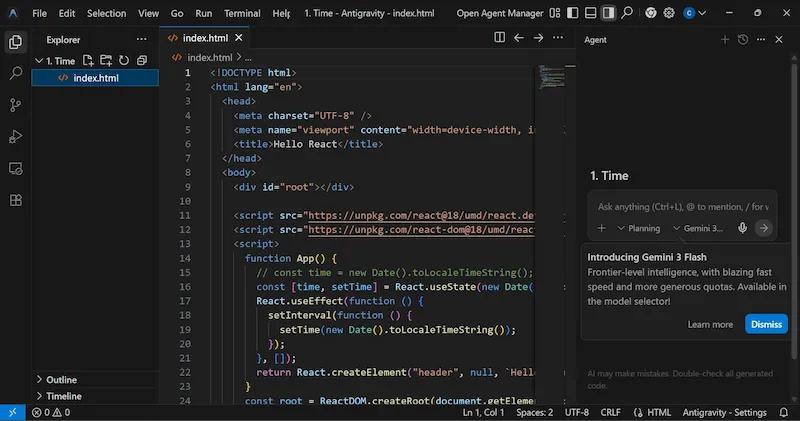
Antigravity gives you Agent Manager. Think mission control for multiple AI agents working in parallel.
I can spin up one agent for frontend work, another for backend, a third for database migrations. Assign different tasks. They all work at the same time. Each generates "artifacts" (task plans, implementation details, screenshots) that I review before accepting.
When I tested this on the e-commerce migration, I had:
- Agent 1 converting PHP templates to React components
- Agent 2 refactoring database queries to Prisma
- Agent 3 setting up the new Next.js routing
All running simultaneously. It felt like managing a team of junior devs. Sometimes chaotic, sometimes amazing.
The Chrome Integration Nobody Talks About
Antigravity has a built-in Chrome browser. Not a preview window. An actual controllable browser where AI agents can test your code.
Here's what that means in practice: I tell Agent 1 to build a checkout flow. It writes the code, spins up the dev server, opens Chrome, clicks through the entire flow, catches a validation bug, fixes it, tests again.
Completely automated. I just watch.
When it works, it's magical. When it breaks (and it does break), you've got to dive into the artifacts and figure out what went wrong.
What It Actually Costs (And Why That's Complicated)
Right now? Free.
Google's running Antigravity as a preview product. No credit cards, no limits (that I've hit), just sign in with your Google account and go.
That won't last forever. Based on competitive positioning and what I'm hearing from people close to the project, expect pricing around $20/month for Pro once it leaves preview. Maybe a free tier with heavy restrictions.
The catch? It's still in preview, which means:
- Features appear and disappear
- Performance varies wildly
- Your workflow might break between updates
- No SLA, no guarantees
Not great if you're shipping production code on a deadline.
When Antigravity Makes Sense
Experimental projects where you want to try the latest AI capabilities. Building prototypes. Learning new frameworks.
I used it to build a full Next.js app with Supabase backend in an afternoon. The Agent Manager handled routing, database setup, authentication, and basic UI. I just directed traffic and fixed the mistakes.
For production work? Maybe not yet. But keep an eye on it.
When It Doesn't
Stability matters. You're working on a client project with a deadline.
You need predictable pricing. Google could change everything tomorrow.
Your team needs standardized workflows. Antigravity changes too fast for that right now.
VS Code + GitHub Copilot: The Boring (Smart) Choice
VS Code with GitHub Copilot is like the Toyota Camry of AI coding. Not exciting, won't impress anyone, but it'll get you there reliably every single time.
I know that sounds like a diss. It's not.
What Microsoft Got Right
Three things make VS Code + Copilot the safe bet:
It's actually free (sort of). GitHub launched Copilot Free in December 2025. 2,000 code completions and 50 premium requests per month. For casual coding or trying it out, that's legit enough to be useful.
Your company's security team already approved it. Maybe two years ago. VS Code is the standard. Copilot is from Microsoft (who owns GitHub). Your IT department knows how it works, where the data goes, what the compliance story is.
It just works everywhere. VS Code runs on Windows, Mac, Linux. Extensions work. Your settings sync. You can switch between machines without thinking about it.
The AI Features (That Keep Getting Better)
GitHub Copilot added some genuinely good stuff in 2025:
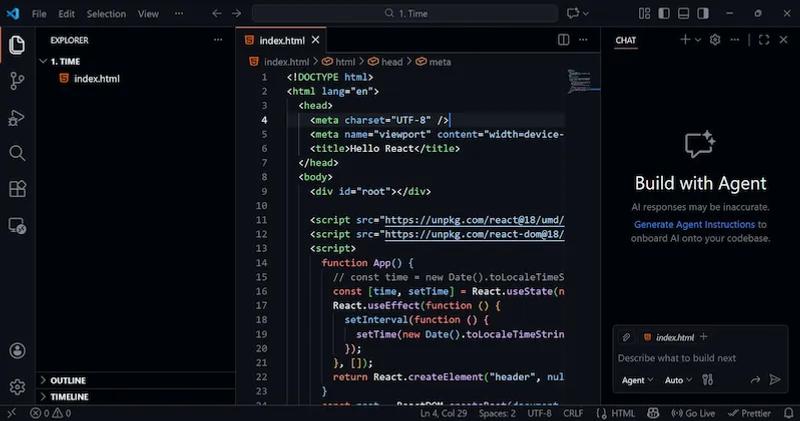
Agent mode - Handles complete GitHub issues. You assign it a task, it plans the work, implements changes across multiple files, creates a pull request. Needs supervision but does most of the heavy lifting.
Plan mode - Review and approve the blueprint before the agent starts coding. Gives you control without micro-managing every line.
Better context awareness - They improved semantic code search by 37.6% and doubled throughput. In practice, that means Copilot understands your codebase better and responds faster.
Custom agents - Through MCP (Model Context Protocol), you can connect third-party agents. Growing ecosystem there.
I used Agent mode to implement a whole feature from a GitHub issue. It took maybe 30 minutes of my time reviewing and tweaking. Would've been 3-4 hours without it.
The Pricing Makes Sense (Finally)
Five tiers as of January 2026:
Free - 2,000 completions, 50 premium requests/month. Good for students or casual coding.
Pro ($10/month) - Unlimited completions, 300 premium requests, access to better models. This is where most individual devs land.
Pro+ ($39/month) - 1,500 premium requests, access to all models including Claude Opus 4 and OpenAI o3. For power users.
Business ($19/user/month) - IP indemnity, centralized management, audit logs. For teams.
Enterprise ($39/user/month) - 1,000 premium requests, custom models trained on your codebase, GitHub.com Chat integration. Requires GitHub Enterprise Cloud.
Students get Pro free through the GitHub Student Developer Pack. Teachers and popular open-source maintainers get it free too.
For a solo developer, $10/month is honestly hard to beat. Cursor costs $20 and burns through credits faster. Windsurf is $15 but less mature. Antigravity is free but unstable.
When VS Code + Copilot Wins
You want stability. You're shipping real work to real users who'll get mad if stuff breaks.
Your team is already using VS Code. Adding Copilot is a one-line install, not a whole new toolchain.
Budget matters. $10/month per developer is way easier to sell than $20-40.
You need the Microsoft ecosystem. Azure DevOps, GitHub, Teams, all that corporate infrastructure.
When It Doesn't
You want cutting-edge AI features. Copilot is good, but Cursor and Antigravity are faster to innovate.
Multi-file editing is your main use case. Cursor's Composer mode beats Copilot's agent mode for complex refactors.
You're willing to experiment. Copilot is safe. Maybe too safe for people who want to push boundaries.
The Comparison Table You Actually Need
| Feature | Cursor | Antigravity | VS Code + Copilot |
|---|---|---|---|
| Pricing (Solo Dev) | $20/mo Pro | Free (preview) | $10/mo Pro |
| AI Models | Claude, GPT, Gemini, custom | Gemini 3 (Google's latest) | GPT-4, Claude, o3 (Pro+) |
| Multi-file Editing | Excellent (Composer) | Excellent (Agent Manager) | Good (Agent mode) |
| Code Completion Speed | Very fast (Supermaven) | Fast | Fast |
| Context Window | Large | Massive | Large |
| Autonomous Agents | Agent mode | Multiple parallel agents | Agent mode |
| Browser Integration | Preview only | Full Chrome automation | Preview only |
| Team Features | $40/user/mo | Unknown | $19/user/mo |
| Stability | Stable | Preview (unstable) | Very stable |
| Security/Compliance | SOC 2 compliant | Google (unknown) | Enterprise-ready |
| Learning Curve | Moderate | Steep | Low |
| Best For | Power users, fast iteration | Experimenters, parallel tasks | Teams, stable workflows |
| Free Tier | 2,000 completions/mo | Unlimited (for now) | 2,000 completions/mo |
| Biggest Strength | Speed and multi-file edits | Parallel agent orchestration | Reliability and ecosystem |
| Biggest Weakness | Expensive, confusing pricing | Unstable, no pricing clarity | Less innovative |
Comparison Table for Cursor, Antigravity and VS code
So Which One Should You Actually Use?
Here's my honest recommendation after four months of real use:
Use Cursor if:
- You're a solo dev or small team (2-5 people)
- Speed is your priority and you code 4+ hours daily
- You're comfortable with $20-60/month
- Multi-file refactors are common in your workflow
- You want the fastest AI-powered coding experience available
Use Antigravity if:
- You're experimenting or learning
- You don't mind instability for cutting-edge features
- Your projects aren't mission-critical
- You want to try parallel AI agents
- Free matters more than reliability right now
Use VS Code + Copilot if:
- You're part of a larger team (10+ devs)
- Stability and reliability matter
- Your security/compliance team has opinions
- $10/month per developer fits your budget
- You want something that'll work the same way in six months
Personally? I'm using Cursor for my side projects and client work where I control the stack. I'm using VS Code + Copilot for anything that involves other developers or needs to be stable.
I'm keeping Antigravity installed and checking in weekly to see what Google's cooking up. When it leaves preview and the pricing makes sense, I might switch. But not yet.
What This Means for How You Actually Code
Here's what changed for me after four months with these tools:
I write way less boilerplate. The AI handles it faster and more consistently than I ever could.
I refactor more aggressively. Before, refactoring was painful enough that I'd avoid it. Now Cursor's Composer makes it almost fun.
I experiment more. Trying a new library or pattern? AI can scaffold the basics in minutes. Lowers the risk of "what if this doesn't work?"
I pair program differently. Instead of explaining everything to a junior dev, I can assign them a task and have AI help them implement it while I review.
But I also catch more bugs in code review. AI-generated code looks good at first glance but sometimes has subtle issues. You can't just merge blindly.
The Stuff Nobody Tells You (That You Need to Know)
All these tools hallucinate. The AI will confidently suggest code that doesn't work, uses deprecated APIs, or introduces security holes. You still need to know what you're doing.
Context limits matter. Even with huge context windows, the AI can lose track of your project's structure. I've had Cursor suggest code that contradicts something it wrote three files ago.
Your workflow will change. Not just "oh I write code faster." Your whole approach to building software changes. Some people love it. Some people hate feeling like they're managing an AI rather than coding.
Privacy is still unclear. Cursor says they don't train on your code. GitHub has options to opt out. Antigravity is Google. Read the privacy policies and decide if you're comfortable.
The market is moving fast. This article will probably be partially outdated in three months. New features drop weekly. Pricing changes monthly. Stay flexible.
What to Do Right Now
If you're still reading, here's your action plan:
This week:
- Install VS Code with GitHub Copilot Free. It's free, it's stable, it'll give you a baseline for what AI coding feels like.
- Use it for a real project (not a tutorial). Something you're actually building.
- Pay attention to where it helps and where it doesn't.
Next month:
- Try Cursor's free tier (2,000 completions). See if the speed difference is worth $20/month for you
- Install Antigravity and experiment with Agent Manager on a side project.
- Track how much time you're actually saving. Is it 10%? 30%? 50%?
After that:
- Pick the tool that fits your workflow and budget.
- Pay for the tier that makes sense. Don't overpay for features you won't use.
- Re-evaluate in 6 months. This space is moving too fast to commit forever.
The Real Question: Does Any of This Actually Matter?
Look, here's what I think after using all three:
These tools don't make bad developers good. They make good developers faster. Sometimes a lot faster.
If you don't understand what the AI is generating, you're in trouble. If you do understand it, you're suddenly shipping code at a pace that would've seemed impossible two years ago.
The best AI editor is the one that disappears into your workflow. You stop thinking about the tool and just build stuff faster. For me, that's Cursor on my side projects and VS Code + Copilot on team work.
Your mileage will vary. That's why free tiers exist.
Try them. Track your time. See what actually helps. Then pay for whatever saves you the most hours.
Because in 2026, the developers winning aren't the ones writing the most code. They're the ones shipping the most value. And AI editors, when used right, help you do exactly that.